Kerrigan
Kerrigan is an appliance/server for operating a cluster of SiMa DevKits. It provides a single, local control plane for discovering and provisioning devices, organizing capacity into pools, managing firmware and system images, monitoring health, and assigning work to physical hardware.
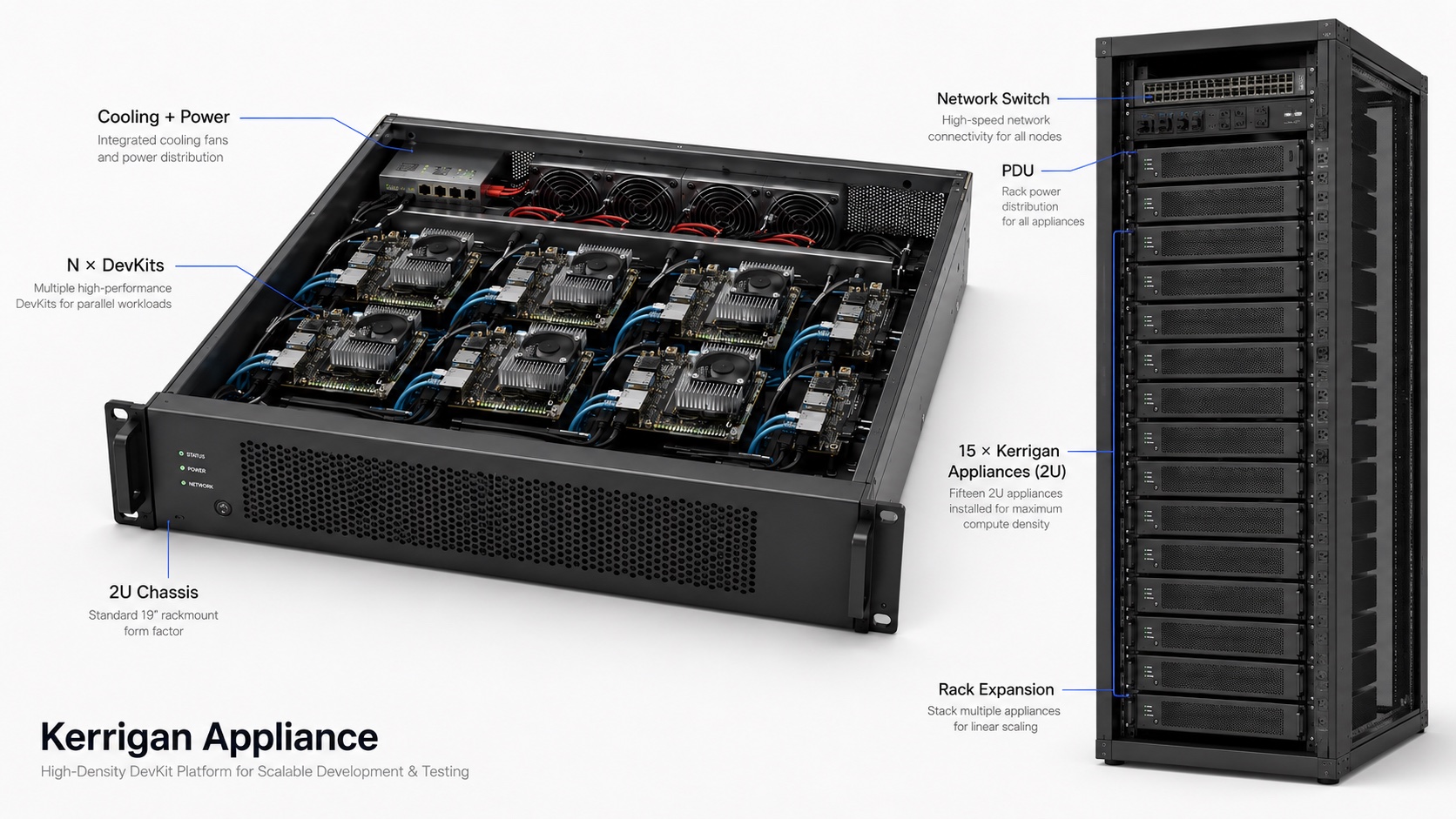
The appliance separates DevKit lifecycle and resource management from the products that consume the cluster. A team can use the same Kerrigan-managed capacity in several ways:
- Neat Cloud Development Environment (Project Arthas) can use the cluster to provide virtualized development environments, giving developers access to managed DevKit resources without requiring them to purchase or set up a DevKit or SDK.
- Neat CICD Infrastructure (Vulcan) can use the cluster for continuous integration and delivery, including automated workflows, artifact-backed tests, remote controls, and fleet status reporting.
- Local operators and tools can use the Dashboard and APIs directly for provisioning, maintenance, diagnostics, and workload execution.
Kerrigan therefore serves as the stable appliance boundary between a physical DevKit cluster and interactive development, continuous integration, delivery, and lab operations. Hardware validation remains an important use case, but it is not the only one.
Kerrigan is made of these main parts:
- Fleet Manager, the API service that owns devices, pools, scheduling state, images, sessions, and bootstrap jobs.
- Dashboard, the web UI for cluster setup and operations.
- Device Agent, the DevKit-side service that registers, heartbeats, and runs assigned work.
- Integration interfaces, including HTTP APIs, MQTT control and reporting, workflow manifests, and bridges used by Neat Cloud Development Environment and Neat CICD Infrastructure.
Common Tasks
- Use a prebuilt appliance or build a Kerrigan system from scratch with the installation guide.
- Understand lab wiring with the topology section in Install Kerrigan from Scratch.
- Bring bare DevKits into the fleet with bootstrap.
- Author reusable DevKit jobs with Kerrigan workflows.
- Understand cloud command, event, and reporting paths in the Cloud API overview.
- Integrate cloud controls with the MQTT Control API.
- Consume appliance and fleet state with the MQTT State Reporting API.
- Inspect local service APIs with the HTTP API reference.
Documentation Layout
The documentation is organized around deploying, integrating, and operating a Kerrigan appliance and its DevKit cluster:
- Getting Started covers installation and local development.
- Concepts explains the architecture, network topology, and bootstrap model.
- Workflows explains how consumers describe work for DevKits.
- Operations covers pools, devices, resource selection, firmware update, and TFTP behavior.
- Reference collects environment variables and API details.